
GW621 GW626 GW631 GW636 multi-function pulse meter user manual, provides product model, features, appearance size, panel hole size, meter terminal connection, parameter description and other information
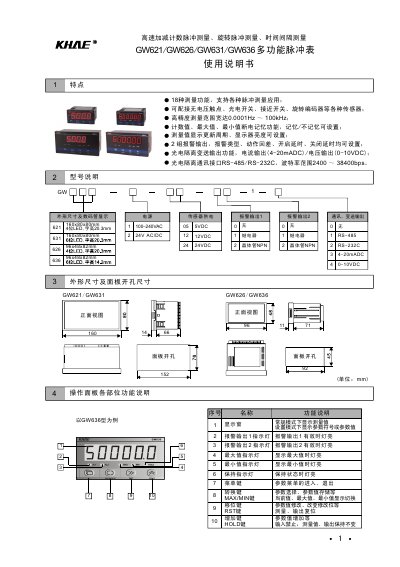
This manual provides instructions for operating and configuring GW's multi-function pulse meters, including models GW621, GW626, GW631, and GW636. It details how to connect various sensors, adjust measurement parameters, set alarm thresholds, and configure communication interfaces like RS485 and RS232C. The device supports high-speed counting, pulse measurement, and time interval measurement with features such as max/min display and adjustable display brightness. This manual is written in Chinese.
| Sensor Compatibility | 无电压触点、光电开关、接近开关、旋转编码器 |
|---|---|
| Measurement Functions | 高速加减计数、脉冲测量、时间间隔测量 |
| Display | LED display, 4-digit, 20.3mm height |
| Power Supply | 100-240VAC or 24V AC/DC |
It can connect to no-voltage contacts, photoelectric switches, proximity switches, and rotary encoders.
Press the RST key to reset the measurement value and stop measurement.
It has a 4-digit LED display with a character height of 20.3mm.