
This document is the user manual of PCB Piezotronics, Inc.'s AEC210 headphone measurement system
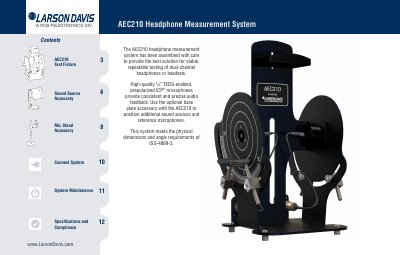
This manual provides step-by-step instructions for assembling and mounting the AEC210 headphone test fixture, adjusting it for different headphone models, and connecting optional accessories like sound sources and microphone stands. It also includes calibration procedures using an acoustic calibrator and maintenance guidelines.
The system uses high-quality TEDS-enabled ICP® microphones for precise audio feedback and can be mounted to a base plate or any platform. The manual includes diagrams and tool requirements for setup and adjustment, ensuring repeatable testing environments for dual-channel headphones or headsets.
Mount the fixture to the optional base plate or any platform using included m4 mounting screws. Do not overtighten; turn until snug.
A 2.5 mm hex wrench is required to remove vibration damping feet, adjust locator seats, and secure components.