
This manual provides basic information about testo 549 and testo 550 digital manifolds and gives instructions on how to use them.
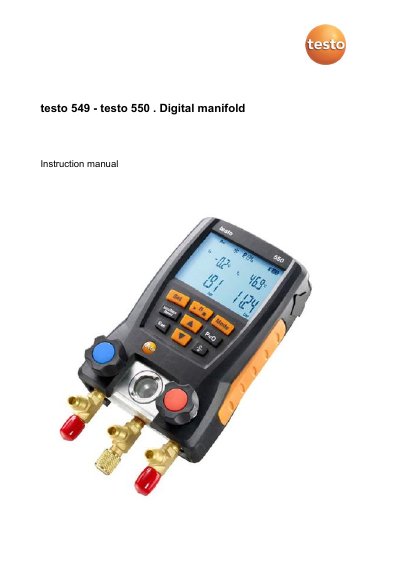
This manual provides instructions for operating and maintaining the Testo 549 and 550 digital manifolds, designed for refrigeration and heat pump service. It covers safety precautions, setup, measurement procedures, and technical specifications. The devices support multiple refrigerants and include Bluetooth connectivity on the 550 model. Users must be qualified and follow safety guidelines to prevent injury or equipment damage.
The manual includes sections on preparing for measurements, using the manifold, technical data, and maintenance. It also details error handling, accessories, and disposal instructions, emphasizing the importance of replacing refrigerant hoses after drops or damage.
| Pressure measuring range | -100 to 6000 kPa / -0.1 to 6 MPa / -1 to 60 bar (rel) / -14.7 to 870 psi |
|---|---|
| Temperature measuring range | -50 to +150 °C / -58 to 302°F |
| Resolution | Pressure: 0.01 bar / 0.1 psi / 1 kPa / 0.001 MPa; Temperature: 0.1 °C/0.1 °F |
| Accuracy | Pressure: ± 0.5 % FS; Temperature: ±0.5 °C ±1 digit (0 to 150°C) |
| Number of selectable refrigerants | 60 |
| Bluetooth module (testo 550 only) | LSD Science & Technology Co., Ltd L Series BLE module (08 May 2013) based on TI CC254X chip |
The instruments are compatible with most non-corrosive refrigerants, water, and glycol. They are not compatible with refrigerants containing ammonia.
Press the [ / ] key to switch on the instrument. Zero the pressure sensors before every measurement by pressing the [P=0] key for 3 seconds.
Press [R, ►, ■] to activate the refrigerant menu. Use [▲] or [▼] to select the desired refrigerant and press [R, ►, ■] to confirm.