
This manual explains how to use WALKMAN.
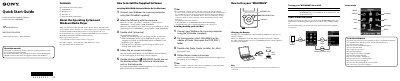
This Quick Start Guide provides basic operating instructions and software installation procedures for the Sony NWZ-E383/E384/E385 Walkman. It details how to install the supplied WALKMAN Guide and Media Go software on Windows and Mac computers, including compatibility requirements for operating systems and Windows Media Player versions.
| Operating System (Windows) | Windows XP (SP3+), Vista (SP2+), Windows 7 (SP1+), Windows 8 |
|---|---|
| Operating System (Mac) | Mac OS X v10.6 or later |
| Windows Media Player Version | 11 or 12 |
| Charging Time | 2 hours |
| Charging Temperature Range | 5 °C (41 °F) to 35 °C (95 °F) |
Supported systems include Windows XP (SP3 or later), Windows Vista (SP2 or later), Windows 7 (SP1 or later), Windows 8, and Mac OS X v10.6 or later.
It takes approximately 2 hours to fully charge the battery when connected to a running computer.
No, connecting via a USB hub may not work. You should connect the Walkman directly to your computer using the supplied USB cable.
Ensure the USB cable is properly connected to a computer (not a hub), the computer is on, and the ambient temperature is between 5 °C and 35 °C.