
This document describes how to manually set up EW-7228APn to extend wireless range.
This document provides detailed instructions for manually setting up the Edimax EW-7228APn wireless extender. It covers finding your computer's IP address, connecting via Ethernet, accessing the setup page, selecting a wireless network, configuring security settings, and assigning an IP address. The guide also explains how to restore factory defaults if needed and how to reconnect using Wi-Fi after setup.
After completing the setup, the extender reboots and the user can verify connectivity by accessing the internet through the browser or connecting via Wi-Fi to the extended network.
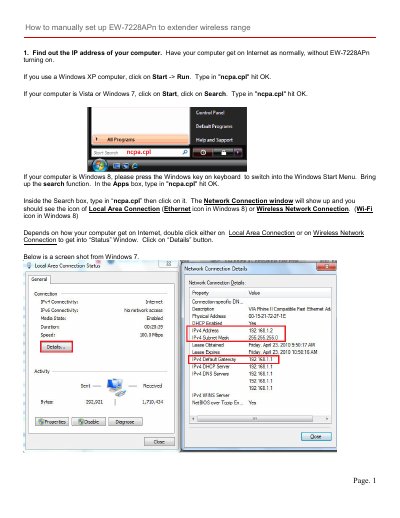
Open Network Connections, click on 'Details' for the active connection, and note the IP address.
Assign an IP address like 192.168.1.200 to ensure it's in the same subnet as your network.
Username: admin, Password: 1234.
Unplug the Ethernet cable, enable Wi-Fi, and connect to the extender's network using the original Wi-Fi password.