
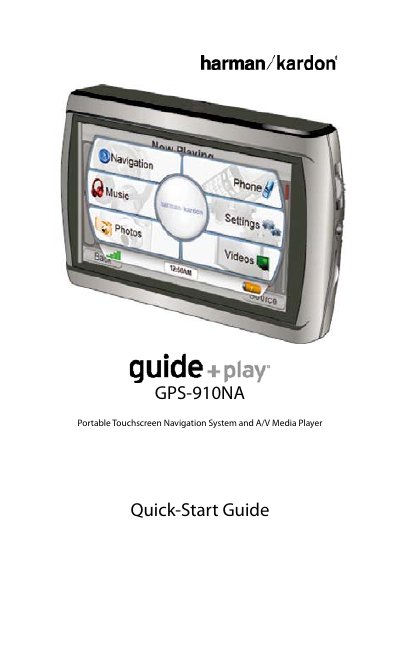
Harman Kardon GPS-910NA Portable Touchscreen Navigation System and A/V Media Player Quick-Start Guide

Quick-Start Guide


Harman Kardon GPS-910NA Portable Touchscreen Navigation System and A/V Media Player Quick-Start Guide - cover page
Brand
Harman Kardon
Category
Other Electronics
Document type
Quick Start Guide
Language
English
Pages
17
File format
PDF
File size
1.5 MB
Published
17 October, 2023
Updated
17 October, 2023
MD5 checksum
58CF033092A8647D7C3C97533C0B200B

About this manual

The Harman Kardon GPS-910NA is a portable touchscreen navigation system and A/V media player that uses a lithium-polymer battery. This Quick-Start Guide explains how to charge the battery, unlock the unit, and turn it on. It also details the contents of the box, including the car charger, wall charger, USB cable, and carrying case.

What's inside

  • Before You Begin
  • Setup Wizard
  • Plan a Trip
  • Connecting a Bluetooth Phone
  • Placing and Receiving Calls
  • Loading Media Files
  • Video Menu
  • Activate Traffic Service
  • Text to Speech Feature
  • Problem/Symptom

Specifications

Battery Typelithium-polymer
Operating Temperature-10° C (14° F) to 55° C (131° F)
Storage Temperature-20° C (–4° F) to 60° C (140° F)
Long-term Storage Temperature0° C (32° F) to 25° C (77° F)
Charging Limitabove 50° C (122° F)

Frequently asked questions

How do I turn the unit completely off?

Press and hold the power button for 2 seconds.

What happens if I operate the device while driving?

The device will cease navigation functions when the video mode is enabled for safety reasons.

What is required to store audio and video files?

An SD Memory Card is required for storage of audio and video files.

How do I reset an unresponsive unit?

Use a paper clip to press the reset button on the right side of the bottom panel.

Download PDF (1.5 MB)

More Harman Kardon Manuals


View all Harman Kardon manuals →