
ViewSplit is a Windows application for managing a ViewSonic Display to manual adjustment of the window organization. ViewSplit allows the selected ViewSonic monitor’s desktop to be organized into various predefined or customizable windows layouts and automatically to fill specific regions within a window layout.
The ViewSonic ViewSplit is a Windows application designed specifically for ViewSonic displays. It allows users to manually adjust window organization by creating predefined or customizable screen split layouts, automatically positioning windows within specific regions.
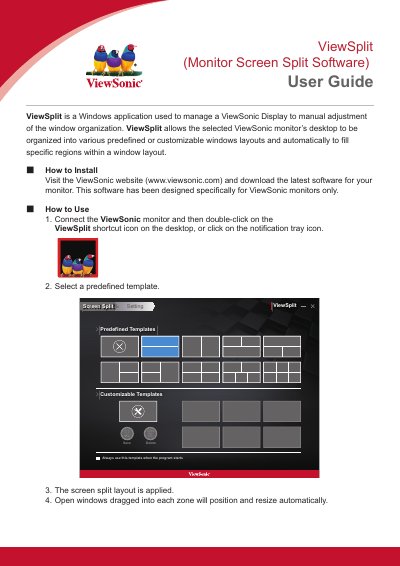
To use the software, connect the monitor and launch the application via desktop shortcut or notification tray icon. Users can select from existing templates or create custom ones using the Manual Adjust feature, which involves dragging a red line to define new layout boundaries before saving.
ViewSplit is a Windows application designed specifically for managing a ViewSonic Display.
No, this software has been designed specifically for ViewSonic monitors only.
Connect the ViewSonic monitor and then double-click on the ViewSplit shortcut icon on the desktop.