
This document explains how to set up a 5.1- or 7.1-channel system and play back surround sound of a BD/DVD on this unit.
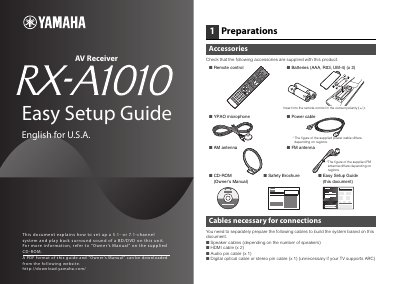
This document serves as an easy setup guide for the Yamaha RX-A1010 AV Receiver, specifically designed for users in the U.S.A. It details the necessary preparations, including checking supplied accessories like the remote control and YPAO microphone, and lists the external cables required to build a surround sound system.
The guide provides step-by-step instructions on placing speakers correctly for 5.1 or 7.1-channel configurations, connecting speaker wires and subwoofers, and linking external devices such as BD/DVD players and TVs using HDMI and optical cables. It also covers the automatic optimization process using the YPAO (Yamaha Parametric room Acoustic Optimizer) function to adjust volume balance and acoustic parameters based on the specific room environment.
| Channel Configuration | 5.1- or 7.1-channel system |
|---|---|
| Speaker Impedance | 8-ohm speakers at the factory |
You need speaker cables, HDMI cables (x2), an audio pin cable, and either a digital optical cable or stereo pin cable.
Connect the YPAO microphone, select 'Measure' using the cursor keys, and press ENTER. The measurement will start in 10 seconds.
Check the cable connections (+/-) of the speaker indicated with 'Reverse'. If incorrect, turn off the unit, reconnect the speaker cable, and try YPAO measurement again.