
TE Connectivity 15D1 Touchcomputer User Guide

D-Series Touchcomputer User Guide provides information on how to use the D-Series LCD Multi-function Touchcomputer [Model D-Series Rev.C]
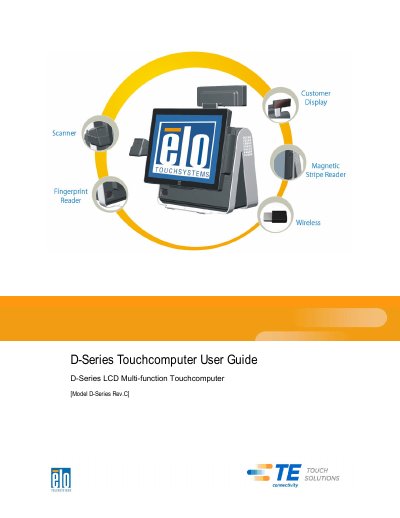

TE Connectivity 15D1 Touchcomputer User Guide - cover page
Brand
TE Connectivity
Category
Other Electronics
Document type
User Manual
Language
English
Pages
60
File format
PDF
File size
2.9 MB
Published
16 October, 2023
Updated
16 October, 2023
MD5 checksum
BAC49D815EE69759A66819F1FF052AD7

About this manual

This manual covers the setup and operation of the TE Connectivity 15D1 Touchcomputer. It details the unpacking process, adjusting the display, and setting up the operating system, including language and time zone selection. The guide also explains how to calibrate the touchscreen and secure the device base.

What's inside

  • Unpacking Your Touchcomputer
  • Adjusting the Display
  • Setting Up the Operating System
  • Calibrating the Touchscreen
  • Securing the Base
  • Advertising Brackets
  • On-Screen Display (OSD)
  • LED Functionality
  • Using the Input/Output Panel
  • Adding Optional Peripherals

Specifications

Display Adjustment Range0 to 60 degrees
Operating System Setup Time5-10 minutes
Warranty Period3 years

Frequently asked questions

What is the default language for the operating system menus?

Microsoft Windows uses English as the default language in menus and dialog boxes.

What is the warranty period for the touchcomputer?

The warranty for the touchcomputer and its components is 3 years.

Download PDF (2.9 MB)

More TE Connectivity Manuals


View all TE Connectivity manuals →