
This document is a basic jumper settings guide for Western Digital ATA hard drives.
This document serves as a quick reference for configuring the jumpers on new Western Digital ATA hard drives. It advises users to review these settings before installation and suggests consulting the original computer manual or inspecting existing drive schematics if necessary.
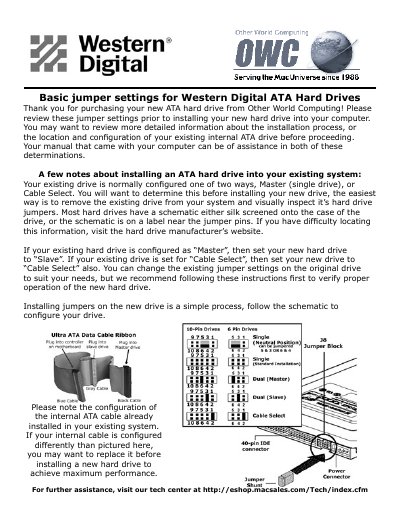
The guide explains how to match the configuration of the new drive with an existing one, recommending setting the new drive as 'Slave' if the existing single drive is set to 'Master', or matching it to 'Cable Select' if that is the current system setup. It also includes a visual schematic for configuring 10-pin and 6-pin jumper blocks.
You should set the new drive to 'Cable Select' also.
You should set the new hard drive to Slave.
You should set the new hard drive to Cable Select.