
This tech brief explains the Power Disable feature for Western Digital Ultrastar SATA hard drives, detailing compatibility with legacy chassis and providing…
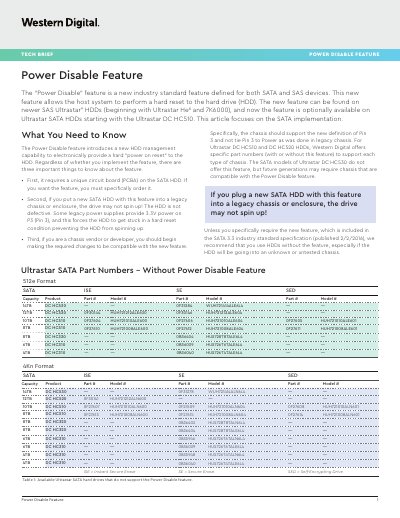
The document introduces a new HDD management capability called 'Power Disable' that allows a host system to perform a hard reset on the drive. This feature requires a unique circuit board (PCBA) and is available on specific Ultrastar SATA models starting with the DC HC510, while newer generations like the DC HC530 do not offer it.
A key concern addressed is compatibility with legacy chassis or enclosures where Pin 3 of the SATA power connector is tied to 3.3V. If a drive with this feature is installed in such an environment, it may fail to spin up due to being stuck in a hard reset condition. The document provides specific part numbers for drives that include or exclude this feature and suggests using a Molex-to-SATA adapter as a workaround.
| Affected Pin | Pin 3 (P3) of the SATA power connector. |
|---|---|
| Industry Standard | SATA 3.3 industry standard specification. |
It provides an easy way to power cycle a drive to perform a hard reset without manually unplugging it from the rack.
The drive may not spin up because the legacy power supply ties Pin 3 to 3.3V, forcing a permanent hard reset condition.
No. You can safely plug either type of drive into a new or legacy system; the only side effect is that the drive might not spin up in a legacy environment.