
This document introduces the troubleshooting instructions of Pico wireless control, including the causes and solutions of Pico wireless control not working properly
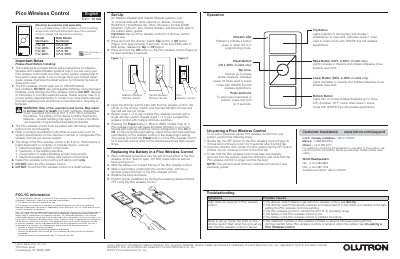
This document serves as a troubleshooting and setup guide for the Lutron Pico wireless control. It addresses common issues such as lights not responding to commands, pairing failures, and low battery indicators. The guide explains how to diagnose these problems based on symptoms like LED flashing patterns and operating range limitations. It also details the un-pairing process to remove the device from a system.
| Operating Range | 30 ft (9 m) |
|---|---|
| Battery Type | CR2032 |
| Battery Voltage | 3 V |
| Battery Current | 10 mA |
No, you must use a CR2032 battery and should not use rechargeable batteries as they could damage the device.
The device has an operating range of 30 ft (9 m), though performance depends on factors like distance and wall construction.
It uses one CR2032 battery, and you must not use rechargeable batteries as they could damage the device.
Quickly tap the OFF button three times and hold it for 6 seconds, then tap the OFF button three times again without holding.