
Grass Valley EDIUS 3D QuickStart Guide

This is a manual for using EDIUS 3D editor
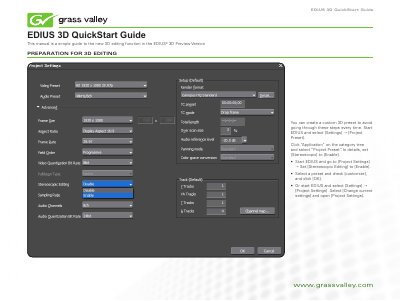

Grass Valley EDIUS 3D QuickStart Guide - cover page
Brand
GRASS VALLEY
Document type
Quick Start Guide
Language
English
Pages
9
File format
PDF
File size
1.1 MB
Published
13 October, 2023
Updated
13 October, 2023
MD5 checksum
D6BC428B1637C56C2A7A6C85C3A6CC79

About this manual

This manual serves as a simple guide to the 3D editing capabilities within the EDIUS software. It details how to prepare projects for stereoscopic editing by enabling specific settings in the Project Preset menu.

The document provides instructions on importing 3D clips, combining separate left and right footage into stereoscopic clips, and applying video filters specifically designed for 3D content.

What's inside

  • Preparation for 3D Editing
  • Clip Files on the Timeline
  • Generating 3D Clips from Separate Left and Right Clips
  • Changing the 3D Preview Mode
  • Applying Video Filters
  • About the Stereoscopic Adjuster Filter
  • Layouter 3D Functions
  • Exporting to 3D Files

Specifications

Supported 3D Clip Formats3DA1, MVC, 3DP2
Default Project Resolution1920 x 1080

Frequently asked questions

How do I enable stereoscopic editing in EDIUS?

Go to Settings > Project Preset, select Application and Project Preset, set Stereoscopic to Enable, then customize and click OK.

How do I combine separate left and right clips into a stereoscopic clip?

Select the two clips in the bin, right-click, and select Set as stereoscopic from the menu.

Is 3D Blu-ray export supported?

No, 3D Blu-ray export is not supported.

Download PDF (1.1 MB)

More GRASS VALLEY Manuals


View all GRASS VALLEY manuals →