
This is an instruction manual for the Gingko Edge Light Alarm Clock. It describes how to use the product's various functions, including the buttons and the display screen.
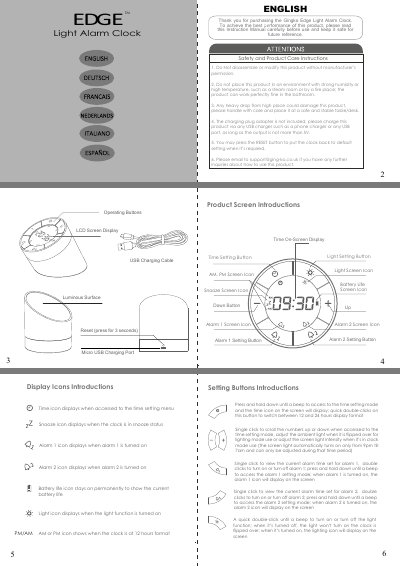
This document provides operating instructions for the Gingko Edge Light Alarm Clock. It details how to use the various buttons to set alarms, adjust time formats (12/24 hour), and control screen and ambient lighting features.
The manual also covers safety precautions, product care, and charging procedures using a Micro USB port. Specific attention is given to the unique flip function that switches between clock mode and night light mode.
Connect the supplied USB charging lead to any USB port, such as a phone charger or computer USB port.
Simply shake the clock to snooze for 5 minutes, or press any button or flip it over to turn off the alarm.
Perform quick double-clicks on the Time Setting Button to switch between the two display formats.