
Key facts
- Manuals
- 3
- Languages
- EN
- Last added
- 2026-10-28
Featured GINGKO manuals
Gingko Amber Crystal Light User Manual
The Gingko Amber Crystal Light is a decorative lamp featuring a 3D-engraved crystal ball and a wooden base. It operates via a copper button on the base, offering four brightness settings and a simple on/off mechanism. The product is powered via a 5V Type C USB port and includes a charging indicator light.
Covers: Product Content · Product Operation · Product Charging Instructions · Product Care · Warranty · Materials Used
Gingko Smart Moon Lamp User Manual
This manual guides users through setting up the Gingko Smart Moon Lamp, including magnetic levitation steps and light mode controls. It also includes safety precautions, care instructions, and warranty details. Patience is required during setup, as levitation may require multiple attempts.
Covers: Packing List · Product Set Up / Installation · Precautions · Warranty & Product Care
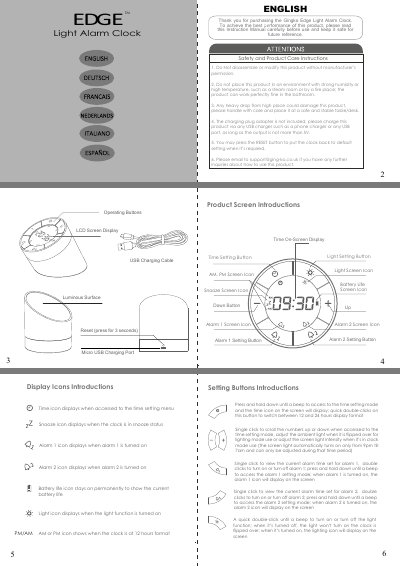
Gingko Edge Light Alarm Clock Instruction Manual
This document provides operating instructions for the Gingko Edge Light Alarm Clock. It details how to use the various buttons to set alarms, adjust time formats (12/24 hour), and control screen and ambient lighting features.
The manual also covers safety precautions, product care, and charging procedures using a Micro USB port. Specific attention is given to the unique flip function that switches between clock mode and night light mode.
Covers: Safety and Product Care · Display Icons · Setting Buttons · Time Setting Mode · Alarm Setting · Screen Light Setting
Latest GINGKO manuals
Gingko Amber Crystal Light User Manual
User Manual 22 pages · 552 KB · ENThis manual provides instructions for operating, charging, and maintaining the Gingko Amber Crystal Light, including warranty details and care guidelines.
Gingko Smart Moon Lamp User Manual
User Manual 8 pages · 442 KB · ENUser manual for the Gingko Smart Moon Lamp, covering setup, operation, precautions, and warranty.
Gingko Edge Light Alarm Clock Instruction Manual
User Manual 2 pages · 322 KB · ENInstruction manual for the Gingko Edge Light Alarm Clock covering setup, alarm settings, light functions, and charging instructions.
Which document do I need?
User Manual
Day-to-day operation, settings and troubleshooting. Start here if the product is already set up.
Questions answered in GINGKO manuals
How do I turn the light on and off?
Tap once on the copper button to switch the light on or adjust brightness; tap again to turn it off.
What does the charging light indicate?
A solid red light indicates the product is charging, while the light turns off when fully charged.
How do I set up the Smart Moon Lamp?
Place the magnetic base on a stable surface, connect the power adapter, and gently lower the moon until it levitates with a 15-20mm gap. Adjust alignment if needed.
What are the light modes?
The lamp has three light modes: white, warm yellow, and light yellow.
How do I charge the Gingko Edge Light Alarm Clock?
Connect the supplied USB charging lead to any USB port, such as a phone charger or computer USB port.
How does the snooze feature work?
Simply shake the clock to snooze for 5 minutes, or press any button or flip it over to turn off the alarm.