
GIGABYTE H310M M.2 2.0 Motherboard User Manual

This is a H310M M.2 2.0 user manual, which introduces the product's features and usage methods.
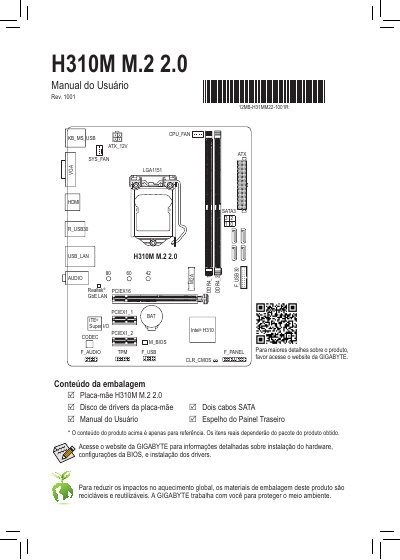

GIGABYTE H310M M.2 2.0 Motherboard User Manual - cover page
Brand
Gigabyte
Category
Motherboard
Document type
User Manual
Language
Portuguese
Pages
6
File format
PDF
File size
2 MB
Published
12 October, 2023
Updated
12 October, 2023
MD5 checksum
776D71828E91896F5F1A802ECBB443A9

About this manual

This document serves as the user guide for the GIGABYTE H310M M.2 2.0 motherboard. It details the contents of the packaging, including the motherboard, driver disk, SATA cables, and rear I/O shield. The manual provides specific instructions for installing the CPU, memory modules, and expansion cards, emphasizing safety precautions such as disconnecting power before installation. This manual is written in Portuguese.

What's inside

  • Conteúdo da embalagem
  • Instalação da CPU
  • Instalando a Placa de Memória/Expansão
  • Conectores Painel Traseiro
  • Declarações regulamentares
  • Instrução da Diretiva de Certas Substâncias Perigosas (RoHS)
  • Instrução da Diretiva de Resíduos de Equipamentos Eletroeletrônicos (WEEE)

Frequently asked questions

What is recommended regarding memory modules?

It is recommended to use memory modules of the same capacity, brand, speed, and chips.

What safety steps must be taken before installing the CPU?

You must turn off the computer and unplug the power cable from the outlet to avoid hardware damage.

What is the recommended procedure for installing memory modules?

Ensure the computer is turned off before installing or removing memory modules to prevent hardware damage.

How should a user configure 7.1 channel audio?

You must use the HD module on the front panel and activate the multi-channel mode through the audio driver.

Download PDF (2 MB)

More Gigabyte Manuals


View all Gigabyte manuals →