
Explains how to lock and unlock the doors using the door handles, key and remote control
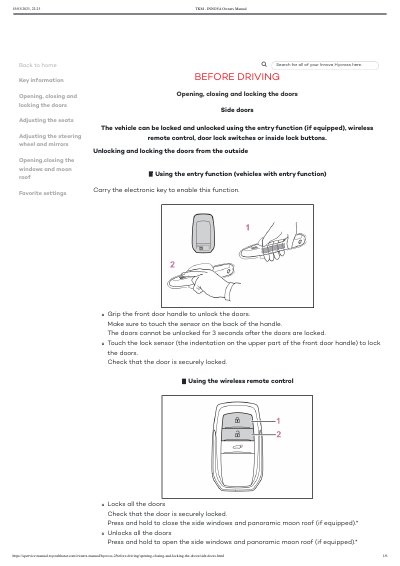
The document provides instructions for operating the side doors of the Toyota Innova Hycross 2. It covers unlocking and locking methods from the outside using smart entry or wireless remotes, as well as operations from inside the vehicle using door lock switches and buttons.
Additional features described include impact detection door release systems, security timers that re-lock if a door is not opened within 30 seconds, rear seat reminders, and customizable automatic locking functions linked to vehicle speed or gear position.
| Door re-lock timer after unlock | approximately 30 seconds |
|---|---|
| Speed linked automatic locking speed | approximately 20 km/h (12 mph) |
In the event of a strong impact, all doors will unlock. Depending on the force or type of accident, however, the system may not operate.
You should use the mechanical key to lock and unlock the doors.