
This document is about the installation instructions for updating the S7-1500 software controller, including identifying the software controller model and executing the installation steps.
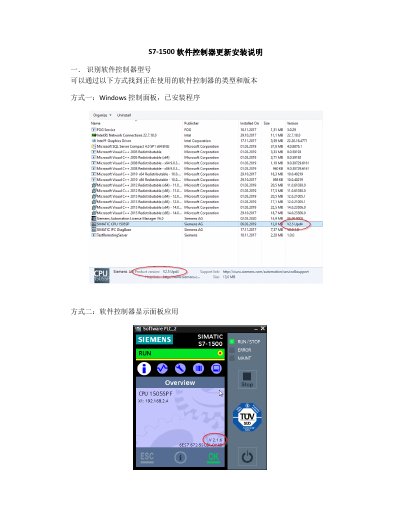
This guide explains how to identify the type and version of the S7-1500 software controller using three methods: Windows Control Panel, the Software Controller Display Panel application, and TIA Portal online functions.
The document details the installation process, which requires logging in with administrator privileges, disabling specific Windows features (EWF, FBWF, or UWF), terminating the CPU via the panel, copying and running the upgrade executable, and finally restarting the system to re-enable the features. This manual is written in Chinese.
You can find the type and version by checking the installed programs in Windows Control Panel, viewing the display panel application, or using the TIA Portal online function.
You must log in with an administrator account, disable EWF, FBWF, or UWF functions, and then log in again to show that EWF is closed.
Use the 'Start CPU' button on the software controller panel to start the controller.