
Aircube Air Cube is an intelligent air quality detector with multiple sensors, which can monitor indoor environment parameters in real time, such as temperature, humidity, PM2.5, VOC (formaldehyde), CO2, oxygen, light, gesture, and voice control. It can also be connected to other home electronic products to achieve intelligent air regulation.
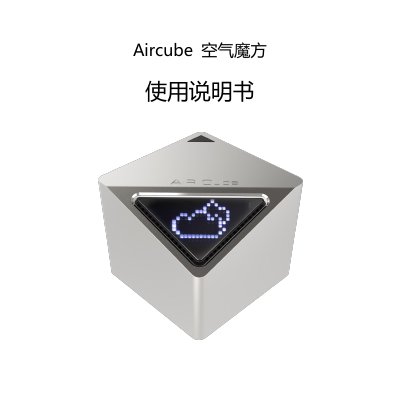
The DCT Aircube is a smart indoor environmental monitoring device designed to detect air quality parameters such as PM2.5, formaldehyde (VOC), carbon dioxide, oxygen, temperature, humidity, and light levels. It features nine built-in sensors including gesture and voice control capabilities, allowing users to interact with the device hands-free or via commands.
The manual provides instructions on configuring the device using the 'ZhiJia' mobile app over a Wi-Fi network. Once connected, the Aircube can display real-time air quality data, weather information, and provide health tips based on detected levels of pollutants like VOCs and CO2. This manual is written in Chinese.
| Dimensions (H x L x W) | 72mm x 81mm x 81mm |
|---|---|
| Weight | 390g |
| Battery Capacity | 2000mAh |
| Power Adapter Input | 5V 2A MicroUSB |
| Standby Power Consumption | 1W |
| Maximum Power Consumption | 5W |
| Wireless Protocol | Wi-Fi IEEE802.11b/g/n (2.4GHz), Zigbee 812.15.4 |
The device includes nine sensors for temperature, humidity, PM2.5, VOC (formaldehyde), carbon dioxide, oxygen, light, gesture, and voice control.
Download the 'ZhiJia' app, connect your phone to Wi-Fi, and long press the top cover for 3 seconds to trigger the setup mode indicated by a blue breathing light.