
This document is a manual for mobile banking operations, which introduces the functions of quick registration, login, password recovery, and the features of the home page and ride code, along with the corresponding steps.
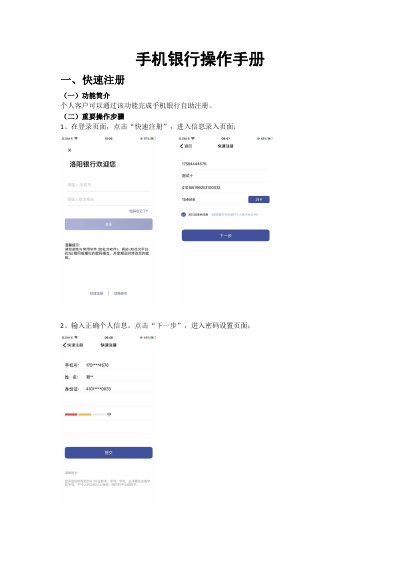
This manual details the procedures for personal customers to register for and log into mobile banking services. It outlines the steps for self-registration, including information entry and card binding, as well as various login methods such as password, gesture, fingerprint, and facial recognition. The document also specifies rules for password creation and account locking due to repeated failed login attempts.
Beyond basic access, the guide explains how to use key features available on the mobile banking homepage. These include managing assets, accessing applications, and utilizing the transit code function for bus payments. It further covers procedures for resetting forgotten passwords, opening electronic accounts (Type II and III), and managing deposits and loans within the education zone. This manual is written in Chinese.
The password must be 6-20 characters long, containing both numbers and letters, and cannot consist of four or more consecutive identical letters or numbers.
If entered incorrectly 3 times consecutively, the account is locked for 5 minutes; if entered incorrectly more than 6 times, the account is locked for one day.
Yes, you can skip the card binding step, but you will not be able to perform transactional activities (movements of funds) until a card is bound.