
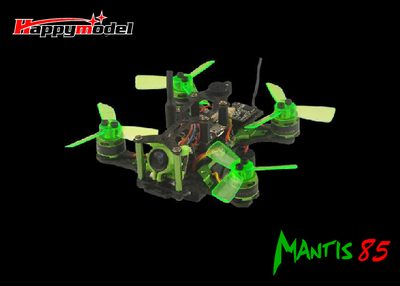
This manual lists all parts required for the Mantis 85 frame, including the carbon plates, flight controller, ESC, motor, propellers, camera and battery. Detailed specifications such as wheelbase, size, weight, motor type and battery capacity are provided.
It also covers key procedures: assembling the frame, binding the receiver, charging the LiPo battery, and updating the flight controller firmware using Betaflight. Safety cautions and LED status indicators are explained to help users operate the drone safely.
| Wheelbase | 85mm |
|---|---|
| Size | 85mm × 85mm × 28mm |
| Weight | 499 g (battery not included) |
| Motor | Happymodel SE1102 KV9000 |
| Propeller | 1935 3‑leaf propeller |
| Battery | 7.4 V 400 mAh LiPo |
| Flight time | ≈4 minutes |
| Firmware | Betaflight 3.2.0 |
Plug the USB of the Mantis 85 into a computer while holding the bind button on the receiver; when the receiver’s green LED stays solid, the drone is ready to bind, then release the bind button.
Install the STM32 Virtual COM Port driver, open Betaflight Configurator, select the “OMNIBUS F4SD” firmware target, and flash the desired firmware version.
Use a 7.4 V 400 mAh LiPo battery as specified in the manual.