
Key facts
- Manuals
- 2
- Languages
- EN
- Last added
- 2026-10-03
Featured Happymodel manuals
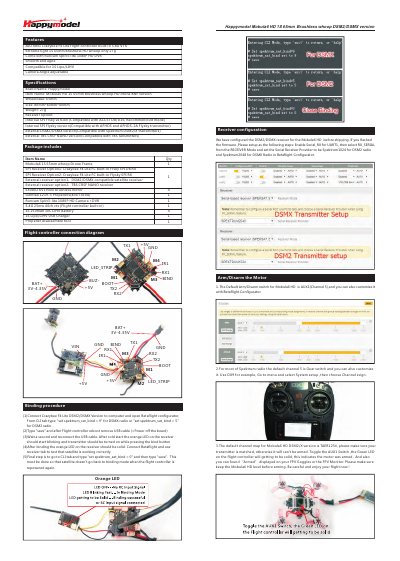
Happymodel Mobula6 HD 1S 65mm Brushless Whoop DSM2/DSMX Version User Manual
This manual provides step‑by‑step instructions for binding the Crazybee F4 Lite DSM2/DSMX receiver, configuring the flight controller in Betaflight, and setting up the transmitter channel map for the Mobula6 HD drone. It also includes diagrams of the flight‑controller connections and details on arm/disarm procedures.
Additional sections cover firmware updates for both the ESC and the flight controller, VTX band and channel configuration, and a full list of the drone's specifications and included accessories. The document is intended for end‑users who want to get the drone ready for flight and perform basic maintenance.
Covers: Binding Procedure · Receiver Configuration · Flight Controller Connection Diagram · VTX Bands and Channels Setup · Firmware Update · ESC Check and Flash Firmware
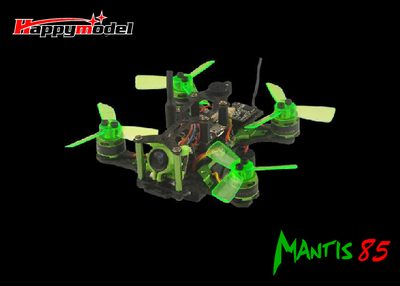
Happymodel Mantis 85 User Manual
This manual lists all parts required for the Mantis 85 frame, including the carbon plates, flight controller, ESC, motor, propellers, camera and battery. Detailed specifications such as wheelbase, size, weight, motor type and battery capacity are provided.
It also covers key procedures: assembling the frame, binding the receiver, charging the LiPo battery, and updating the flight controller firmware using Betaflight. Safety cautions and LED status indicators are explained to help users operate the drone safely.
Covers: Parts List · Specifications · Assembly Instructions · Battery Charging · Binding Procedure · Firmware Update
Latest Happymodel manuals
Happymodel Mobula6 HD 1S 65mm Brushless Whoop DSM2/DSMX Version User Manual
User Manual 2 pages · 927 KB · ENUser manual for the Happymodel Mobula6 HD 1S 65mm Brushless Whoop DSM2/DSMX drone, covering binding, receiver setup, firmware updates, and VTX configuration.
Happymodel Mantis 85 User Manual
User Manual 28 pages · 4.2 MB · ENThe Happymodel Mantis 85 user manual provides assembly, binding, firmware update, and operation instructions for the 85mm quadcopter frame.
Which document do I need?
User Manual
Day-to-day operation, settings and troubleshooting. Start here if the product is already set up.
Questions answered in Happymodel manuals
What is the default channel map for the Mobula6 HD DSM2/DSMX version?
The default channel map is TAER1234; make sure your transmitter is set to the same order before arming.
From: Happymodel Mobula6 HD 1S 65mm Brushless Whoop DSM2/DSMX Version User Manual
How can I update the flight controller firmware?
Install the STM32 Virtual COM Port driver, open Betaflight Configurator, select the firmware target "CRAZYBEEF4DX(LEGACY)", then flash the chosen firmware version.
From: Happymodel Mobula6 HD 1S 65mm Brushless Whoop DSM2/DSMX Version User Manual
How do I bind the Mantis 85 to the transmitter?
Plug the USB of the Mantis 85 into a computer while holding the bind button on the receiver; when the receiver’s green LED stays solid, the drone is ready to bind, then release the bind button.
How can I update the firmware on the Mantis 85 flight controller?
Install the STM32 Virtual COM Port driver, open Betaflight Configurator, select the “OMNIBUS F4SD” firmware target, and flash the desired firmware version.