
This document introduces the packaging list, hardware connection, and software operation of the VUB-100FM portable FM radio scanning recording system from Shanghai Taipei Los Angeles.
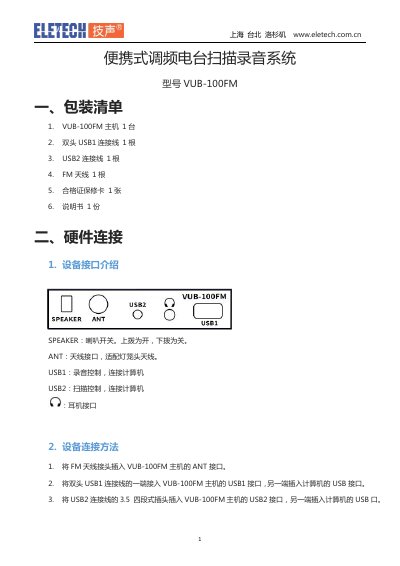
The document serves as a user guide for the Eletech VUB-100FM Portable FM Radio Scanning Recording System. It details the contents of the package, hardware connection methods including USB interfaces and antenna connections, and the required Windows operating environment.
The manual explains how to use the accompanying software (FMScan.exe) for both automatic scanning and recording within the 76.0MHz to 108.0MHz band, as well as manual frequency tuning and recording. It also covers setting up scheduled tasks, managing configuration files like FMScancfg.ini, and provides troubleshooting steps for common initialization errors. This manual is written in Chinese.
The device scans frequencies between 76.0MHz and 108.0MHz.
The software requires Windows 7 or higher, with specific driver installation needed for Windows 7.