
TINSZA962AWZZ ENGLISH MODEL CD-DH950P Mini Component System Operation Manual CD-DH950P Mini Component System consisting of CD-DH950P (main unit) and CP-DH950P (speaker system). Please confirm that only the following accessories are included. Special Note Supply of this product does not convey a license nor imply any right to distribute content created with this product in revenue-generating broadcast systems (terrestrial, satellite, cable and/or other distribution channels), revenue generating streaming applications (via Internet, intranets and/or other networks), other revenue-generating content distribution systems (pay-audio or audio-on-demand applications and the like) or on revenue-generating physical media (compact discs, digital versatile discs, semiconductor chips, hard drives, memory cards and the like). An independent license for such use is required. For details, please visit http://mp3licensing.com MPEG Layer-3 audio coding technology licensed from Fraunhofer IIS and Thomson. iPhone, iPod, iPod classic, iPod nano, and iPod touch are trademarks of Apple Inc., registered in the U.S. and other countries. Printed in Malaysia 11F R MW 1 “Made for iPod” and “Made for iPhone” mean that an electronic accessory has been designed to connect specifically to iPod or iPhone, respectively, and has been certified by the developer to meet Apple performance standards. Apple is not responsible for the operation of this device or its compliance with safety and regulatory
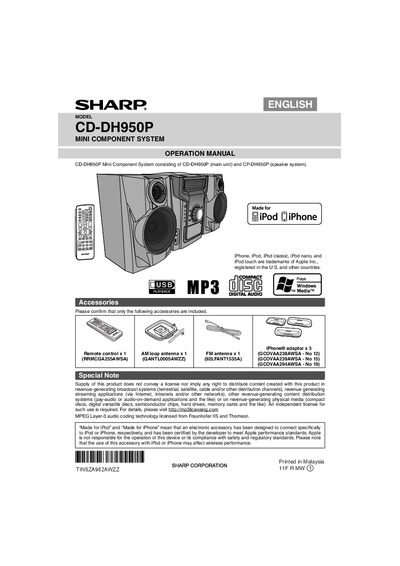
The CD-DH950P Mini Component System consists of a main CD unit and the CP-DH950P speaker system. This manual guides users through installation, connection of accessories, and operation of features such as CD playback, FM radio, USB, and iPhone/iPod docking.
Safety precautions, power requirements, remote‑control functions, and detailed instructions for speaker wiring, battery replacement, and troubleshooting are covered. The document also includes warranty information and compliance notes for FCC and laser safety.
| Power Input | AC 120 V ~ 60 Hz |
|---|---|
| Speaker Impedance | 6 Ω or more |
| Battery Type (Remote) | 1 AA size battery (not included) |
Press the power button or any function button (e.g., CD, iPod, USB) and the unit will power on.
Use speakers with an impedance of 6 Ω or higher and connect the right speaker on the right side when facing the unit.
Insert one AA battery (UM/SUM‑3, R6, HP‑7 or similar) with the correct polarity; the battery is not included.