
This quick start guide provides instructions on how to connect power, install paper and ink cartridges to the KX-PX2M.
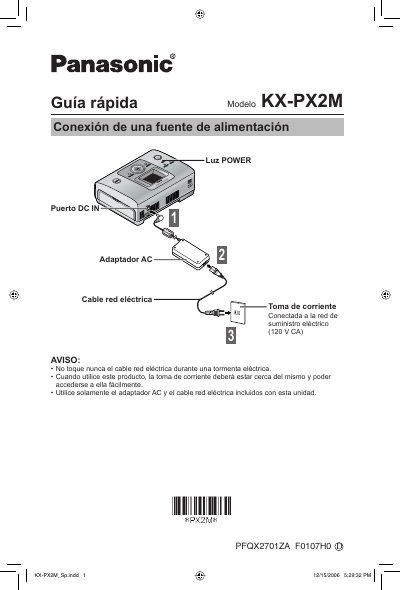
This Spanish-language quick guide for the Panasonic KX-PX2M printer starts with connecting the power supply using the included AC adapter and power cord to a 120 V AC outlet. It then lists the paper and ink sets that are sold separately for the printer, including the models, paper sizes and number of sheets and ink cassettes in each set.
The guide explains how to load paper into the paper tray, how to insert and remove the ink cassette, and how to store unused paper and used cassettes. A handling section gives cautions for printing and for storing printed output, such as not touching the print surface, not reusing printed paper, and keeping printed sheets away from vinyl, rubber bands and solvents. This manual is written in Spanish.
| Power supply | 120 V AC |
|---|---|
| Postcard paper size (KX-PVMS36KM / KX-PVMS108KM) | 101 x 152 mm (3.98" x 5.98") |
| Wide paper size (KX-PVMS20WM) | 101 x 180 mm (3.98" x 7.09") |
| Maximum paper loaded in tray | 18 postcard sheets or 20 wide sheets |
| Included starter kit | 5 postcard-size sheets |
| KX-PVMS108KM set contents | 3 ink cassettes and 108 postcard sheets (6 bags of 18) |
The guide lists the KX-PVMS36KM, KX-PVMS108KM and KX-PVMS20WM paper and ink sets, which are sold separately, and says only these sets should be used.
Do not load more than 18 postcard-size sheets (or 20 wide sheets), and remove printed paper before 10 sheets pile up.
One ink cassette holds enough ink for 36 sheets, or 20 sheets when wide paper is used.
It uses the included AC adapter and power cord connected to a 120 V AC outlet.