
This is the user manual of Panasonic camera, which introduces the use of the camera, precautions and other information
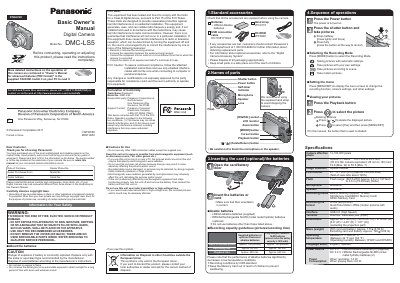
This Basic Owner's Manual introduces the Panasonic DMC-LS5 digital camera. It lists the supplied accessories and names of parts, explains how to insert the batteries and an optional card, and describes basic operations such as turning the power on, pressing the shutter button, selecting a recording mode, setting the menu, viewing pictures and deleting pictures.
The manual also gives safety and use cautions, FCC information, and a specifications table for the camera, including its 14,100,000 effective pixels, 5× optical zoom lens, 2.7-inch TFT LCD monitor, recording media, dimensions and weight. More detailed instructions are contained in the Owner's Manual for advanced features on the supplied CD-ROM.
| Camera effective pixels | 14,100,000 pixels |
|---|---|
| Lens | Optical 5 × zoom, f=4.7 mm to 23.5 mm (35 mm film camera equivalent: 26 mm to 130 mm), F2.8 (Max. W) to F6.5 (Max. T) |
| Image Stabilizer | Optical method |
| LCD monitor | 2.7” TFT LCD (4:3) (Approx. 230,400 dots) (field of view ratio about 100%) |
| Recording media | Built-in Memory (Approx. 10 MB)/ SD Memory Card/SDHC Memory Card/ SDXC Memory Card |
| Dimensions | Approx. 96.5 mm (W) × 62.0 mm (H) × 27.2 mm (D) |
| Mass (weight) | With card and battery: Approx. 173; Excluding card and battery: Approx. 126 |
| Power source | DC 3 V LR6/AA Alkaline batteries (2) (supplied); DC 2.4 V HR6/AA Rechargeable Ni-MH batteries (2) |
| Operating temperature | Between 0 °C and 40 °C (Between 32 °F and 104 °F) (Operating humidity: Between 10%RH and 80%RH) |
| Interface | USB 2.0 (High Speed) |
| Flash range | Approx. 0.6 m (1.97 feet) to 4.6 m (15.09 feet) (Wide) |
| Power consumption | When recording: 1.4 W; When playing back: 0.8 W |
It uses two LR6/AA alkaline batteries (supplied) or two HR6/AA rechargeable Ni-MH batteries (optional).
The camera uses SD, SDHC or SDXC memory cards, and also has built-in memory of about 10 MB.
Press the Playback button and press to select the picture.
About 160 pictures, according to the recording capacity guidelines.