
Panasonic DMC-S3/DMC-S1 Digital Camera Owner's Manual for Advanced Features

This is a digital camera user manual, which includes the camera's usage methods and function introduction
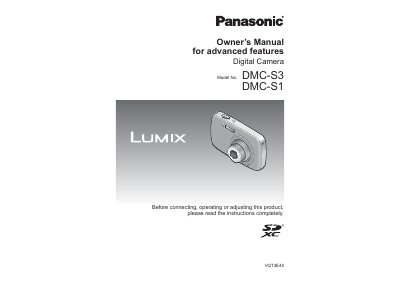

Panasonic DMC-S3/DMC-S1 Digital Camera Owner's Manual for Advanced Features - cover page
Brand
Panasonic
Category
Digital cameras
Document type
User Manual
Language
English
Pages
82
File format
PDF
File size
3.4 MB
Published
10 August, 2012
Updated
30 September, 2023
Models
DMC-S3, DMC-S1
MD5 checksum
22C4A5CD5AEC900FB948C6577640C3B8

About this manual

This Panasonic owner's manual covers advanced features for the DMC-S3 and DMC-S1 digital cameras. It begins with standard accessories, names of parts, battery charging, card and battery insertion, clock setting, and recording capacity guidelines.

The guide then explains basic and advanced recording modes, playback and editing menus, connecting the camera to a PC, printing pictures, viewing on a TV screen, troubleshooting messages, and usage cautions.

What's inside

  • Standard Accessories
  • Names of parts
  • Charging the battery
  • Taking pictures with automatic settings [Intelligent Auto] Mode
  • Taking motion pictures [Motion Picture] Mode
  • Using the [Setup] menu
  • Taking pictures according to the scene [Scene Mode]
  • Using the [Rec] menu
  • Using the [Playback] menu
  • Using with your PC

Frequently asked questions

Is the Panasonic DMC-S3/DMC-S1 camera waterproof?

No. The manual states that the camera is not dust resistant, splash resistant, or waterproof.

What should I do if condensation occurs?

Turn off the camera and wait about two hours before using it again.

How many pictures can I delete at once?

The manual describes deleting multiple pictures up to 50 at once, or deleting all pictures.

What should I do before important events?

Always take a test shot first to make sure pictures and sound record correctly.

Download PDF (3.4 MB)

More Panasonic Manuals


View all Panasonic manuals →