
This document is an operation manual for ELECTRONIC ORGANIZER EL-6850 EL-6890 EL-6890S. The manual includes basic operations of using the electronic organizer, such as first-time usage, troubleshooting for abnormal conditions, auto power off function, backlight, LCD contrast adjustment, etc. It also provides instructions for using various functional modes, such as clock mode, telephone/email mode, WWW mode, calendar mode, memo mode, anniversary mode, etc.
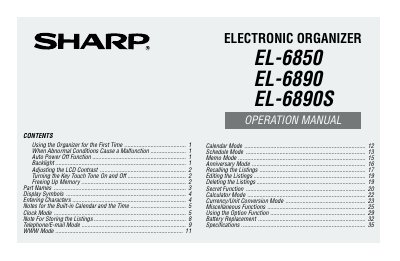
This document is the operation manual for the Sharp EL-6850, EL-6890, and EL-6890S Electronic Organizers. It provides instructions on using the device for the first time, handling abnormal conditions, and utilizing various functions such as the built-in calendar, clock modes (Home and World), telephone/e-mail mode, WWW mode, schedule, memo, and calculator features.
| Date Range | Jan. 1, 1901 to Dec.31, 2099 |
|---|---|
| Auto Power Off Time | approximately7 minutes |
| Memory Storage Capacity | 90 symbols and characters |
The Organizer automatically turns the power off to save the batteries.
It indicates that the operating battery level is low.