
This user guide explains the design and setup of the ADAU1361 evaluation board
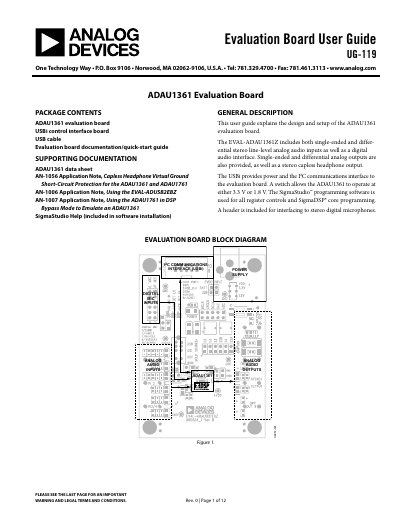
This user guide explains the design and setup of the ADAU1361 evaluation board, which features single-ended and differential stereo line-level analog audio inputs and outputs, a digital audio interface, and a USBi control interface. The board supports operation at either 3.3 V or 1.8 V and includes a header for interfacing to stereo digital microphones.
| Sample Rate | 8 kHz to 96 kHz |
|---|---|
| Power Consumption | 14 mW |
| Max Operating Current | 75 mA |
| Full-scale Input Level (3.3V) | 1.0 V rms |
| Full-scale Output Level (3.3V) | 1.0 V rms |
Open the provided .zip file and extract the files to your PC, or insert the SigmaStudio CD into the PC optical drive.
Disconnect Jumper J5 and connect the power supply at J2.
The board can operate at either 3.3 V or 1.8 V, selected via switch S1.