
Epson PowerLite 500c/700c/710c Multimedia Projector User's Guide Supplement

This Supplement is a manual for EPSON PowerLite 500c/700c/710c Multimedia Projector, which details the safety instructions and maintenance tips for using the projector.
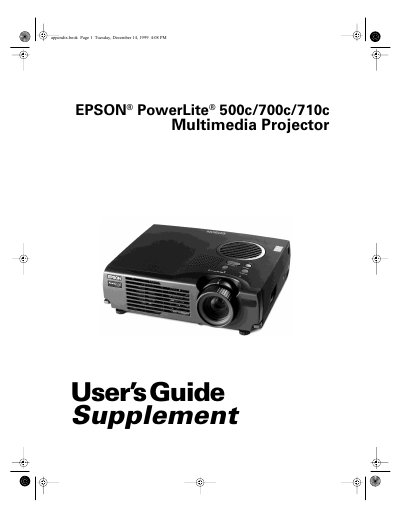

Epson PowerLite 500c/700c/710c Multimedia Projector User's Guide Supplement - cover page
Brand
Epson
Category
Projector
Document type
User Manual
Language
English
Pages
124
File format
PDF
File size
2.6 MB
Published
02 August, 2012
Updated
30 September, 2023
Models
700c, 710c, 500c
MD5 checksum
55FFD1E8BE9BE60F439DF37A8CA46DE7

About this manual

This document serves as a supplement to the main User's Guide for the Epson PowerLite 500c/700c/710c Multimedia Projector. It provides detailed instructions on positioning the projector and connecting it to various sources, specifically focusing on desktop PC and Macintosh computers. The guide explains how to connect computer cables, audio cables, and mouse control cables to enable wireless mouse functionality via the remote control.

What's inside

  • Positioning the Projector
  • Identifying the Projector Ports
  • Connecting to a Desktop Computer
  • Connecting the Computer Cable
  • Connecting the Audio Cable
  • Connecting the Cable for Remote Mouse Control
  • Connecting to a Desktop Macintosh
  • Turning the Projector On and Off
  • Changing Menu Settings
  • Resetting Menu Options

Frequently asked questions

What is the maximum distance allowed between the projector and a grounded electrical outlet?

The projector must be placed within 10 feet of a grounded electrical outlet or extension cord.

What is the minimum horizontal distance required to project a 2.2-foot diagonal image?

You need a minimum horizontal distance of 2.2 feet (0.7 meter) from the projector to the screen.

What specific precaution should be taken when handling a new replacement lamp?

Never touch the new lamp with your bare hands because oil residue may shorten the lamp life.

Download PDF (2.6 MB)

More Epson Manuals


View all Epson manuals →