
Epson PowerLite 505c/715c Multimedia Projector User's Guide

This document is the user guide for EPSON ® PowerLite ® 505c/715c Multimedia Projector, which introduces the features and characteristics of the product.
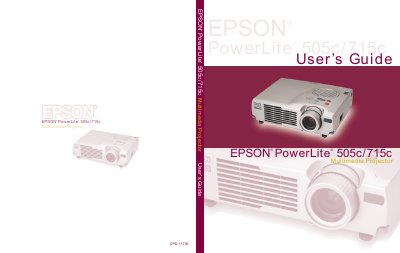

Epson PowerLite 505c/715c Multimedia Projector User's Guide - cover page
Brand
Epson
Category
Projector
Document type
User Manual
Language
English
Pages
141
File format
PDF
File size
3 MB
Published
02 August, 2012
Updated
30 September, 2023
Model
715c
MD5 checksum
8E3BAB02511FCEC21A7E2ACA840E60D6

About this manual

This manual covers the setup and operation of the Epson PowerLite 505c and 715c multimedia projectors. It details how to position the device, connect various video and computer sources, and use the included remote control. The guide also explains how to create presentations using the EasyMP feature and the projector's memory card.

What's inside

  • Welcome
  • Setting Up the Projector
  • Using the Projector
  • Using the Remote Control
  • Creating Presentations
  • Presenting Without a Computer
  • Fine-tuning the Projector
  • Maintaining and Transporting
  • Solving Problems
  • Technical Specifications

Specifications

Brightness715c: 1200 lumens (ANSI); 505c: 1100 lumens (ANSI)
Contrast Ratio400:1
Lamp LifeAbout 1000 hours
Power ConsumptionOperating: 230 W; Standby: 5 W

Frequently asked questions

How long does the projector lamp last?

The projector lamp has a life of about 1000 hours.

What is the maximum brightness of the PowerLite 715c projector?

The PowerLite 715c offers up to 1200 ANSI lumens of brightness.

What is the native resolution of the PowerLite 505c projector?

The PowerLite 505c displays images at a resolution of 800 × 600 pixels.

What is the maximum projection distance for this projector?

The projector can project an image at a distance of up to 45.5 feet.

Download PDF (3 MB)

More Epson Manuals


View all Epson manuals →