
This file is the operating instructions of CT30 thermostat, including usage methods and precautions.
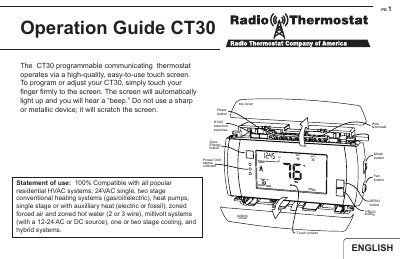
This document provides operating instructions for the Philips CT30 programmable communicating thermostat. It explains how to use the high-quality touch screen to navigate between the HOME, MENU, PROGRAM, and MANUAL control screens. The guide details how to set the mode (HEAT, OFF, COOL), adjust time and temperature, and configure settings for various residential HVAC systems.
| Compatible Systems | 24VAC single, two stage conventional heating systems; heat pumps; zoned forced air and zoned hot water; millivolt systems; one or two stage cooling |
|---|---|
| Temperature Swing Range | 0.5° to 2.0° F (.25° to 1° C) |
| Save Energy Adjustment | 4 oF |
Touch the large current temperature display in the middle of the HOME screen, provided the mode is set to HEAT or COOL.
It disables the heat pump and activates auxiliary heat as the sole source of heat for heat pump systems.
Press the Save Energy button to automatically adjust the target temperature up in COOL or down in HEAT by 4 degrees.