
How to Install the Car Radio Cradle and Antenna
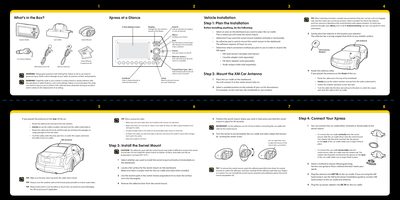
This guide provides step-by-step instructions for installing the XM Xpress satellite radio in a vehicle. It covers unpacking contents, routing the antenna cable through the weather seal, mounting the adhesive swivel bracket on the dashboard, and connecting the car cradle to the mount.
The document details how to activate the device by visiting xmradio.com or calling 1-800-XMRADIO. It explains basic operations such as tuning channels using the dial, saving up to 30 presets across three banks (A, B, C), and changing screen display formats like scrolling stock tickers or sports scores.
| Memory Capacity | Up to 20 artist names or song titles |
|---|---|
| Total Channels | 170 channels after activation |
Visit http://activate.xmradio.com or call 1-800-XMRADIO (1-800-967-2346) to activate your service.
The 8-digit ID is found on the rear package label, the back of the unit, or by tuning to XM Channel 0.
The process typically takes about 15 minutes but could take up to an hour.