
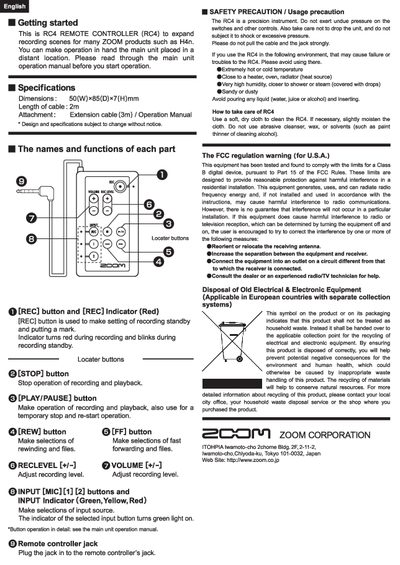
The document provides instructions for using the ZOOM RC4 Remote Controller (RC4), a device designed to expand recording scenes for various ZOOM products like the H4n. It details how to operate buttons such as REC, STOP, PLAY/PAUSE, REW, and FF, as well as controls for input selection, volume, and recording level.
The guide also includes safety precautions regarding environmental conditions (temperature, humidity), handling of the device and cable, cleaning methods, and FCC regulatory warnings. It specifies physical dimensions and cable lengths.
| Dimensions | 50(W)*85(D)x7(H)mm |
|---|---|
| Length of cable | 2m |
It expands recording scenes for many ZOOM products such as H4n.
Avoid extreme temperatures, heat sources like heaters or ovens, high humidity near showers, and sandy or dusty environments.