
This manual introduces the basic functions and operation steps of the TCX905 telephone, including installation, basic settings, adding additional handsets, setting up the phone book, etc.
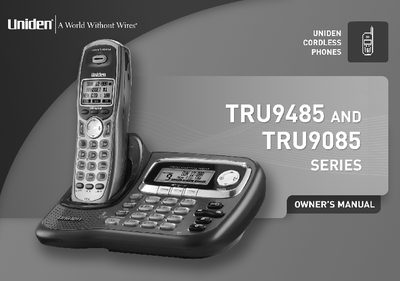
This document is the Owner's Manual for the Uniden TRU9485/TRU9085 Series Multi-Handset phone. It provides instructions for installing the base and handsets, connecting to the phone line, and setting up the system including language selection and date/time configuration. The guide details how to use the handset and base menus, manage the phonebook, and operate features such as Caller ID, Call Waiting, and DirectLink.
| Frequency Band | 5.8GHz |
|---|---|
| Max Handsets | 10 |
| Recording Time | 12 Minutes |
| Message Capacity | 59 |
| Phonebook Names | 100 |
| Phonebook Numbers | 200 |
| Speed Dial | 10 |
| Redial Records | 3 |
| Ring Options | 20 |
The system supports trilingual voice prompts and menu displays in English, Spanish, and French.
The phone system supports a total of ten (10) handsets to one base.
DirectLink allows you to use two handsets as 2-way radios if you have accessory handsets on your system.
Yes, the answering machine features conversation recording.