
This document is the Quick Start Guide for HTC Merge, which explains how to set up and use the email function of the phone.
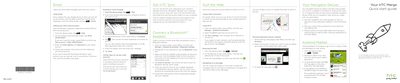
This document serves as a quick start guide for the HTC Merge smartphone. It provides essential safety warnings before use, such as charging the battery and reviewing data rates with your mobile operator. The guide explains how to remove the thin film from the new battery and insert it correctly into the device.
The manual details initial setup steps, including turning on the phone, choosing a language, and signing in to a Google Account. It covers configuring email accounts (Gmail, POP3/IMAP), setting up Bluetooth headsets, connecting to Wi-Fi or data networks, and using the built-in web browser.
Use the supplied power adapter and USB cable to charge your phone.
The notification LED shows a solid amber light while charging, which turns to solid green when the phone is fully charged.