
This is a user manual for HTC Jetstream
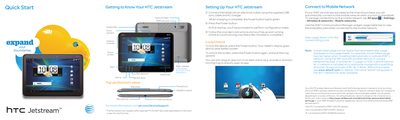
This document serves as a quick start guide for the HTC Jetstream tablet. It provides instructions on initial setup, including charging and unlocking the device using the power button ring mechanism. The guide also explains how to connect to mobile networks and manage data usage via AT&T services.
The manual details the touch screen navigation gestures such as tapping, swiping, pinching, and rotating. It further covers personalizing the home screen with widgets and wallpapers, setting up email accounts (Gmail and others), using the Android Market for apps, operating the camera, and utilizing maps and navigation features.
| Rear Camera Resolution | 8MP |
|---|---|
| Flash Type | Dual LED flash |
| Front Camera | Included |
| Audio Output | Subwoofer and Right speaker |
Press the Power button again, and pull the ring upward.
A widget is an item on the home screen that lets you see an app's status without opening it.