
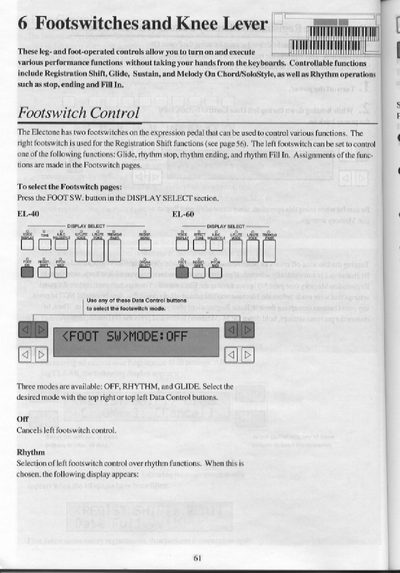
This document provides instructions for operating the footswitches and knee lever on Yamaha Electone keyboards. The footswitches allow users to control Registration Shift, Glide, and Rhythm functions (Stop, Ending, Fill In) without removing their hands from the keyboard. The knee lever is used to toggle the Sustain effect or switch between Melody On Chord and SoloStyle modes.
| Footswitch Modes | OFF, RHYTHM, and GLIDE |
|---|---|
| Transpose Range | -6 to +6 semitones |
| Pitch Range | 438.8 Hz to 444.5 Hz |
| Disk Format | 3.5-inch microfloppy |
| Max Songs per Disk | 40 songs |
The left footswitch can be set to control Glide, rhythm stop, rhythm ending, and rhythm Fill In.
Fold the knee lever down and press it to the right with your knee when you want to have sustain.
Vibrato is not effective when the Glide function is applied.