
This manual is a setup guide for the DME system, describing the process of setting up DME units and synchronizing with the DME Designer application installed on a computer. The document also includes instructions for setting up networks for DME64N and DME24N devices, connecting to external devices, troubleshooting, and tips.
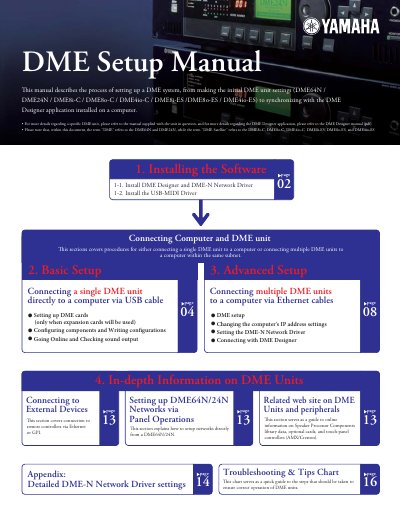
This document provides instructions for setting up a Yamaha DME system, covering initial processor settings for models such as the DME64N, DME24N, DMESi-C, DME80-C, DME4io-C, DMESi-ES, DME8o-ES, and DME4io-ES. It details how to synchronize these units with the DME Designer application installed on a computer.
The guide covers software installation for Windows operating systems (XP, Vista, 7), including drivers like USB-MIDI and DME-N Network Driver. It explains basic setup procedures for connecting single or multiple DME units via USB or Ethernet cables to a computer.
| Compatible Operating Systems | Windows 7, Windows Vista, Windows XP |
|---|---|
| Minimum Hard Disk Space | 300MB or more |
| Minimum Display Resolution | 1280 x 1024 pixels |
| Minimum Memory (Windows XP) | 256MB or more |
No, DME Designer cannot be used to upgrade DME firmware version 3.5 or earlier to version 3.8 or later.
Routing and other EtherSound settings must be made via the AuviTran AVSESMonitor software.