
This is a quick start guide that introduces how to use the basic functions of a digital camera.
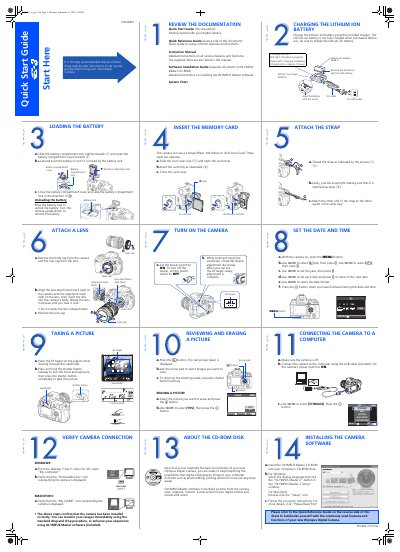
This document serves as a Quick Start Guide for the Olympus E-3 digital camera. It provides essential instructions for initial setup, including charging the Lithium ion battery, inserting CompactFlash or xD-Picture cards, attaching the lens, and powering on the device.
The guide details fundamental operations such as taking pictures using autofocus, reviewing images, erasing photos from memory, and connecting the camera to a computer via USB. It also explains how to install the included OLYMPUS Master software for Windows and Macintosh systems.
| Supported Memory Cards | CompactFlash, Microdrive or xD-Picture Card |
|---|---|
| Battery Charging Time | Approx. 5 hours |
The camera supports CompactFlash, Microdrive, or xD-Picture Cards.
The charging time is approximately 5 hours.