
Agilent 6200 Series TOF 6500 Series Q-TOF LC/MS System Quick Start Guide B.03.01

Agilent 6500 Series Q-TOF LC/MS Quick Start Guide, Introducing how to set up and use Agilent 6500 Series Q-TOF LC/MS system
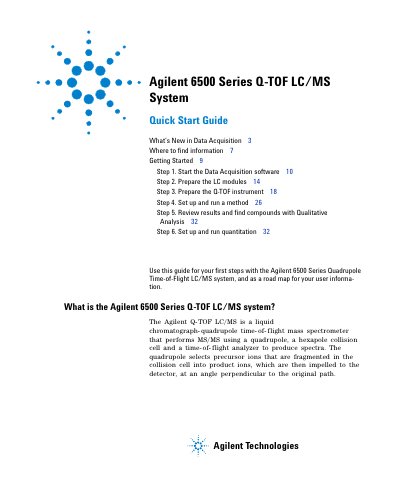

Agilent 6200 Series TOF 6500 Series Q-TOF LC/MS System Quick Start Guide B.03.01 - cover page
Brand
Agilent
Document type
Quick Start Guide
Language
English
Pages
34
File format
PDF
File size
1.3 MB
Published
06 June, 2012
Updated
30 September, 2023
MD5 checksum
93DEB4772B64A655966B4C3444154DAE

About this manual

Use this guide as a road map for your first steps with the Agilent 6500 Series Q-TOF LC/MS system. It serves as an initial introduction to using the Quadrupole Time-of-Flight mass spectrometer that performs MS/MS using a quadrupole, a hexapole collision cell, and a time-of-flight analyzer.

What's inside

  • What's New in Data Acquisition
  • Where to find information
  • Getting Started
  • Start the Data Acquisition software
  • Prepare the LC modules
  • Prepare the Q-TOF instrument
  • Set up and run a method
  • Review results and find compounds

Frequently asked questions

What is the Agilent 6500 Series Q-TOF LC/MS system?

It is a liquid chromatograph-quadrupole time-of-flight mass spectrometer that performs MS/MS using a quadrupole, a hexapole collision cell and a time-of-flight analyzer to produce spectra.

What ion interfaces are supported for the Agilent 6500 Series?

You can use ESI, Dual ESI, APCI, APPI, multimode, MALDI, nanospray, dual nanospray or HPLC- Chip Cube MS interface.

What is the mass range for the Agilent 6540 Q-TOF in Extended Mass Range mode?

The mass range is 100 to 10,000 when the Instrument Mode is Extended Mass Range.

Download PDF (1.3 MB)

More Agilent Manuals


View all Agilent manuals →