
This document is a Labware MiniHub unpacking guide, which guides users how to unpack and check the completeness of the product
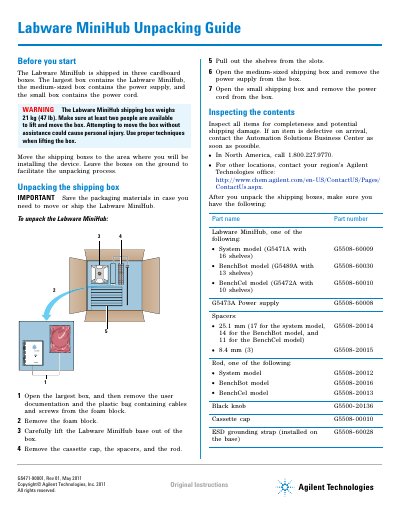
This guide provides step-by-step instructions for unpacking the Agilent Labware MiniHub. The device is shipped in three separate boxes containing the base unit, power supply, and power cord. Users are instructed to inspect all items for completeness and shipping damage before proceeding with installation or operation.
The document also details how to pack the Labware MiniHub for storage or transport. This involves carefully placing components back into their foam cutouts within the original packaging to ensure secure handling during movement.
| System model shelves | 16 shelves |
|---|---|
| BenchBot model shelves | 13 shelves |
| BenchCel model shelves | 10 shelves |
| Shipping box weight | 21 kg (47 lb) |
At least two people are required to lift and move the box safely.
Software setup and operating instructions are in the Labware MiniHub User Guide on the software CD.