
This document describes the workflow of using Agilent Triple Quadrupole LC/MS for peptide quantitation. By using Agilent LC and Agilent 6400 Series Triple Quadrupole LC/MS System, combined with Skyline software, peptide optimization and quantitation can be achieved. The workflow includes hardware and software requirements, as well as steps for peptide optimization and review of results.
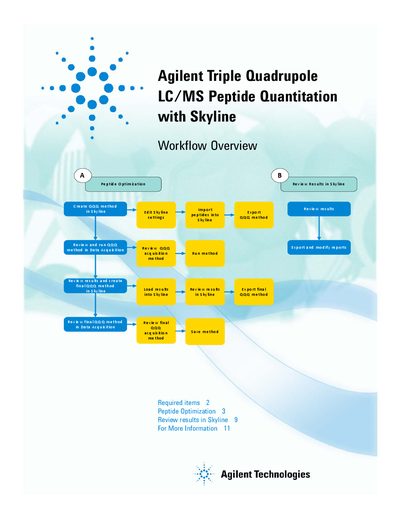
This document describes a workflow for performing peptide quantitation on an Agilent LC/MS system. It details the required hardware and software components, including specific Agilent LC models and MassHunter Data Acquisition versions compatible with the process.
The guide provides step-by-step instructions for optimizing collision energy settings using Skyline software. Users learn how to create methods, export transition lists, import results from data acquisition runs, and review graphical outputs to finalize their analytical methods.
| Required MS System | Agilent 6400 Series Triple Quadrupole LC/MS System |
|---|---|
| Software Version Requirement | Skyline software version 1.1 or greater |
Skyline software version 1.1 or greater from the MacCoss Lab at the University of Washington.
Edit Peptide Settings, then edit collision energy settings in the Transition Settings dialog box with a recommended Step size of 4 and a Step count of 2.