
This document introduces the use of Apple's PowerBook G3 internal modem.
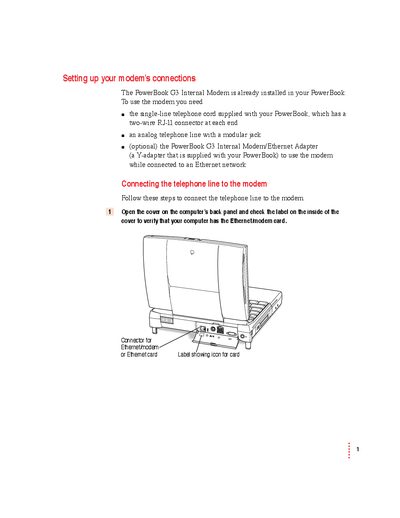
This guide explains how to physically connect an analog telephone line to the PowerBook G3 Internal Modem. It details verifying the presence of the Ethernet/modem card, using the correct single-line telephone cord, and connecting via a Y-adapter if an Ethernet network is also in use. Important warnings regarding digital lines and computer sleep modes are included.
| Maximum Modem-to-Modem Speed | 33,600 bps |
|---|---|
| Error Control Types | V42 or MNP class 2—4 |
| Data Compression Types | V.42 bis or MNP class 5 |
| Ringer Equivalence Number (REN) | 0.7B |
| Telephone Jack Type | USOC, RJ-11 |
The modem initialization string is AT&F.
No, you must use an analog line because connecting a digital line could damage the modem.
Putting the computer to sleep will disconnect the modem.