
Apple iPhone User Guide

This document describes some common features and operations of the iPhone, including returning to the home screen, accessing applications, browsing the web, creating favorites, and basic button operations.
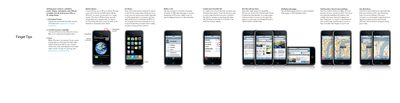

Apple iPhone User Guide - cover page
Brand
Apple
Category
Mobilephone Accessories
Document type
User Manual
Language
English
Pages
2
File format
PDF
File size
1.1 MB
Published
05 June, 2012
Updated
28 September, 2023
MD5 checksum
0147772026D45519F6F76C51B3636307

About this manual

This document provides instructions on how to sync contacts, calendars, music, videos, and photos from a Mac or PC using iTunes. It details the process of connecting the device via USB and selecting content to transfer.

What's inside

  • Syncing with iTunes
  • Button basics
  • Making calls
  • Web browsing
  • Maps and directions
  • Setting up email
  • Text input and correction
  • Music controls

Frequently asked questions

How do I sync my iPhone with a computer?

Connect the iPhone to your Mac or PC using the included cable, then use iTunes to select what you want to sync.

How do I turn my iPhone on or off?

Press and hold the On/Off button to turn the device on or off, or press once to put it in sleep mode.

Download PDF (1.1 MB)

More Apple Manuals


View all Apple manuals →