
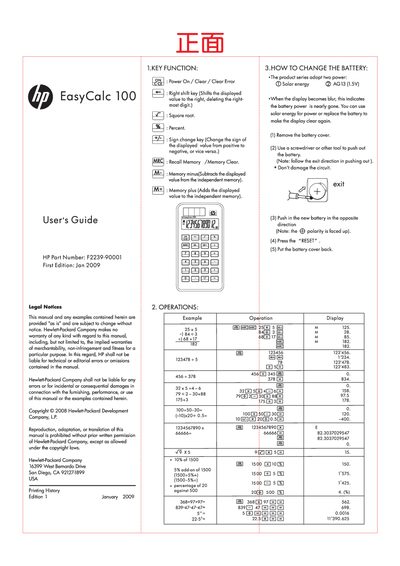
This guide explains the EasyCalc 100's key functions, basic operations, and how to replace the battery. It includes examples of calculations, memory functions, and the use of special keys such as the right‑shift and sign‑change keys.
The manual also contains legal notices, warranty details, and contact information for HP support worldwide. Warranty coverage is 12 months from the date of purchase, and the document lists regional support phone numbers and recycling instructions.
| Size | 250 mm × 186 mm |
|---|---|
| HP Part Number | F2239-90001 |
| Power source | Solar energy (with backup battery) |
Remove the battery cover, push out the old battery with a screwdriver, insert the new battery with the correct polarity, and replace the cover.
The warranty lasts for 12 months total from the date of purchase.
It shifts the displayed value to the right, deleting the rightmost digit.
Use the Memory Clear function, accessed via the Recall Memory /Memory Clear key.