
This document is a guide to update the firmware of LEICA D-LUX 4 camera
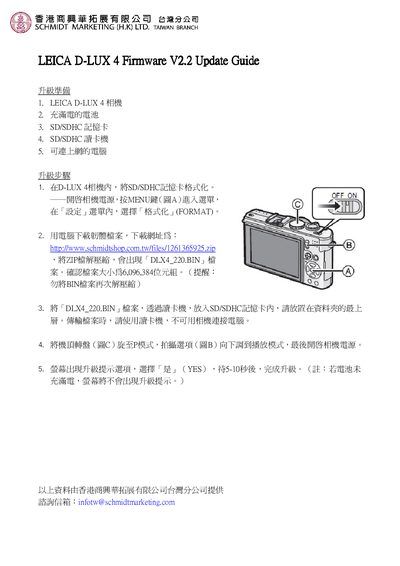
This guide shows how to prepare an SD card, download the correct firmware file, copy it to the card, and install the update on the Leica D‑LUX 4 camera. It includes safety notes such as not using the camera to download the file and ensuring the battery is fully charged.
The process consists of formatting the SD card in the camera, downloading the file DLX4_220.BIN (≈6 MB) from the supplier website, copying it to the root of the card, and then running the update from the camera’s menu. After confirming the prompt, the update completes in about 5‑10 seconds. This manual is written in Chinese.
| Firmware file size | 6,096,384 bytes |
|---|
Turn on the camera, press MENU, go to Settings, select Format, and confirm the format.
The firmware file must be named DLX4_220.BIN.
After confirming, wait 5‑10 seconds for the update to complete.