
This document is the setup guide for the D-Link 504T router. It introduces the detailed steps of setting up the router, including unplugging the existing router, connecting the power supply, connecting the Ethernet cable, connecting the telephone cable, opening the browser, entering the router address, entering the username and password, setting the time, selecting the connection type, entering the account and password, setting the connection type, and restarting the router.
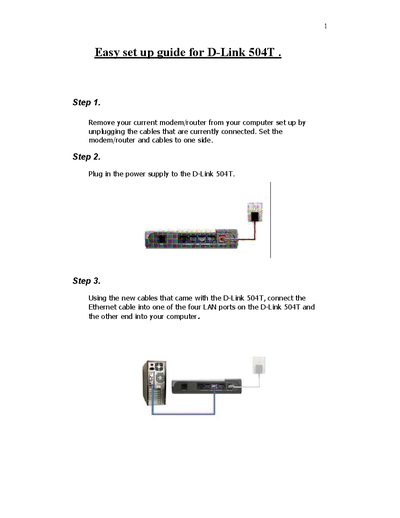
This guide walks you through the basic installation of the D‑Link 504T ADSL router. It starts with powering the device, connecting LAN and phone lines, and accessing the router’s web interface.
The Setup Wizard then helps you select the time zone, choose the Internet connection type (typically PPPoE/PPPoA), enter your ISP credentials, and restart the router to complete the configuration.
| LAN ports | 4 |
|---|---|
| Default IP address | 10.1.1.1 |
| Default login | admin / admin |
Open a web browser and enter 10.1.1.1 in the address bar.
The default username and password are both "admin".
It provides four LAN ports.
Select PPPoE/PPPoA in the Setup Wizard.