
This is an operating instruction for Universal Remote Control's 4-in-1 STB remote control UR4-DSR. The remote control is designed to operate the Motorola DSR400 series digital receiver and can also control the majority of TV, VCR/DVD, and audio equipment on the market.
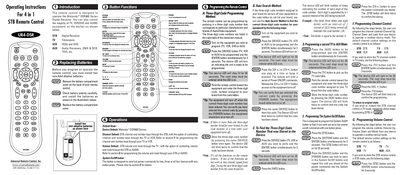
The UR4-DSR universal remote is designed to operate the Motorola DSR400 Series digital receiver and a wide range of TV, VCR/DVD and audio equipment. The introduction explains the devices it can control and the default settings for power, channel and volume functions.
The guide covers battery installation, button functions, and detailed programming methods, including three‑digit code entry, auto‑search, and advanced functions such as System On/Off, channel and volume control programming.
| Maximum devices controlled | Four |
|---|---|
| Supported device categories | TV, VCR/DVD, Audio, Satellite Receiver |
Remove the battery compartment cover on the back, insert two AAA alkaline batteries with correct polarity, and replace the cover.
Turn on the target device, press the [DEVICE] and [ENTER] buttons together for 3 seconds, then enter the three‑digit code for the device brand. The device LED will blink to confirm storage.
Press the [DEVICE] button and the [ENTER] button together for 3 seconds, then press the [INFO] button. The LED will blink a number of times equal to each digit of the stored code.
Press the [SYSTEM] and [ENTER] buttons together for 3 seconds, then press the desired [DEVICE] and [POWER] buttons to assign up to four power commands. Finish by pressing the [CH 4] button to save.