
This manual introduces the operating methods of the PalAmino4 remote control. The remote control can operate most of the TVs, VCRs, DVDs and audio devices on the market.
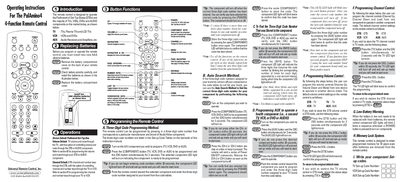
The PalAmino4 4‑function remote control is designed to operate the PalAmino4 set‑top box as well as most TVs, VCRs, DVDs and audio components. It provides volume, channel, navigation and menu controls, plus dedicated keys for VCR/DVD and video‑on‑demand functions.
The manual explains how to replace the two AAA alkaline batteries, describes each button’s function, and provides step‑by‑step instructions for programming the remote using three‑digit codes or the auto‑search method. It also covers programming auxiliary devices, volume and channel control customization, low‑battery warnings, and the memory lock system that retains settings for up to ten years.
| Battery type | Two AAA alkaline batteries |
|---|---|
| Memory retention | 10 years after batteries are removed |
Press the [COMPONENT] button for TV and the [OK] button together for 3 seconds, then enter the three‑digit code for your TV brand from the code tables.
The remote retains programmed memory for up to ten years even after the batteries are removed.